CREATING FINE-ART PHOTOGRAPHIC
Category: Portraits | Optimized For: Nano Banana Pro | Aspect Ratio: 4:5
Copy-Paste AI Photo Editing Prompt
Create a photorealistic fine-art cinematic photograph using the uploaded reference image as the primary visual guide. Preserve its original subject arrangement, camera angle, environment, wardrobe, lighting direction, shadow pattern, and emotional atmosphere. Select the matching scene mode below rather than combining unrelated environments.

MODE A — WARM CIRCULAR SPOTLIGHT:
A stylish adult couple sits on separate simple chairs against a smooth dark charcoal studio wall. Both wear elegant black clothing and dark sunglasses, with a bouquet of deep red roses resting between them. A large, circular amber-orange spotlight is projected onto the wall behind their heads and upper bodies. The spotlight creates a warm central halo with gradual falloff into a nearly black-gray surrounding wall. Their faces receive restrained warm frontal illumination; their black clothing remains predominantly dark with visible folds. Cast long, soft-edged shadows onto the wall and floor. Keep the couple fully visible in a vertically composed, symmetrical fashion-editorial frame.

MODE B — AGING MIRROR PORTRAIT:
An adult red-haired woman in an antique ivory dress leans toward an ornate oval vintage mirror. Her reflection shows an elderly version of the same woman, with naturally aged skin, fine wrinkles, silver-gray hair, and a subdued expression. Use soft, directional window light from the left, muted teal-green ambient shadows, warm antique-gold reflections along the mirror frame, and gentle highlights on the translucent ivory fabric. The background is dark, subdued, and slightly hazy. Preserve realistic mirror perspective and a believable reflected face rather than placing a second person inside the mirror.

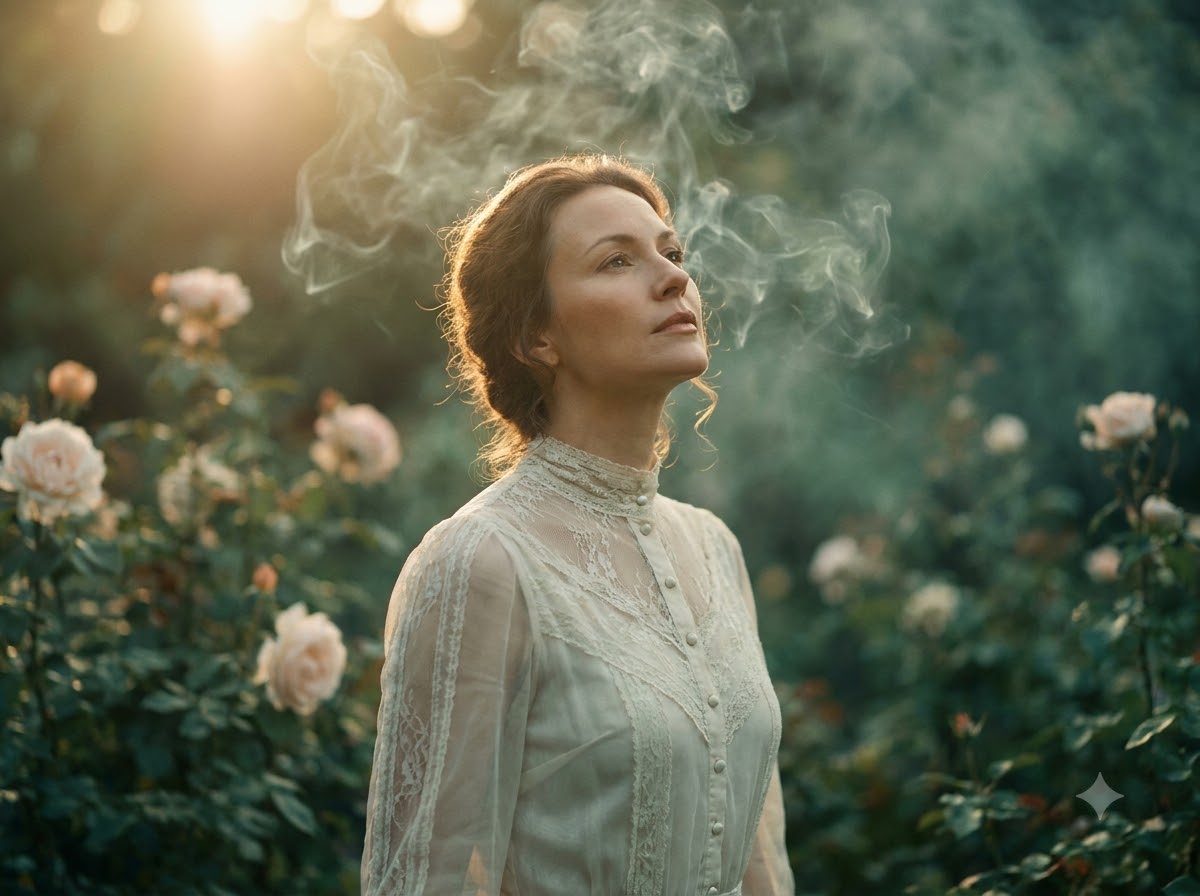
MODE C — SMOKY GARDEN FINE ART:
An adult woman in a vintage ivory high-neck dress with delicate lace, sheer sleeves, and subtle buttons stands among softly blurred roses and green foliage. Her head tilts gently upward as translucent smoke curls through the upper frame. Use warm golden backlighting from the upper-left or upper rear to illuminate the smoke and create a fine rim around her hair. Add soft, muted sage-teal fill light to the background and shadows. Maintain creamy ivory highlights, subdued green-blue shadows, soft amber skin highlights, and a dreamy, painterly atmosphere while preserving photographic realism.

**LIGHTING AND EXPOSURE RULES:** Follow the selected reference's actual key-light direction. Maintain gradual light falloff, natural shadow gradients, detailed dark areas, controlled highlights, and realistic ambient reflections. Do not brighten the entire image uniformly. The background must retain its original relative exposure and depth.

**COLOR GRADING:** Use the selected mode's specific palette. Mode A uses amber, charcoal, and muted crimson. Mode B uses antique gold, cool teal-green, and aged ivory. Mode C uses warm cream, muted sage, and golden haze. Avoid applying one common teal-orange grade indiscriminately to every mode.

**FINAL QUALITY:** Fine-art editorial photography, realistic skin and fabric texture, physically plausible lighting, optical depth of field, subtle film grain, no excessive glow, no artificial HDR, no over-sharpening, no plastic skin, no distorted anatomy, no invented text or watermark.
How to Use This Prompt in Google Gemini & ChatGPT
- Copy the exact prompt formula above.
- Open Google Gemini (Nano Banana Pro) or ChatGPT Vision and upload your reference portrait if required.
- Paste the prompt and adjust subject clothing or lighting details as desired.