SURREAL UNDERWATER SHARK EYEWEAR BEAUTY PORTRAIT
Category: Portraits | Optimized For: Nano Banana Pro | Aspect Ratio: 4:5
Copy-Paste AI Photo Editing Prompt
Create a surreal, photorealistic extreme close-up beauty portrait inspired by the reference image. If a personal portrait is supplied, preserve that person’s facial identity and recognizable features.

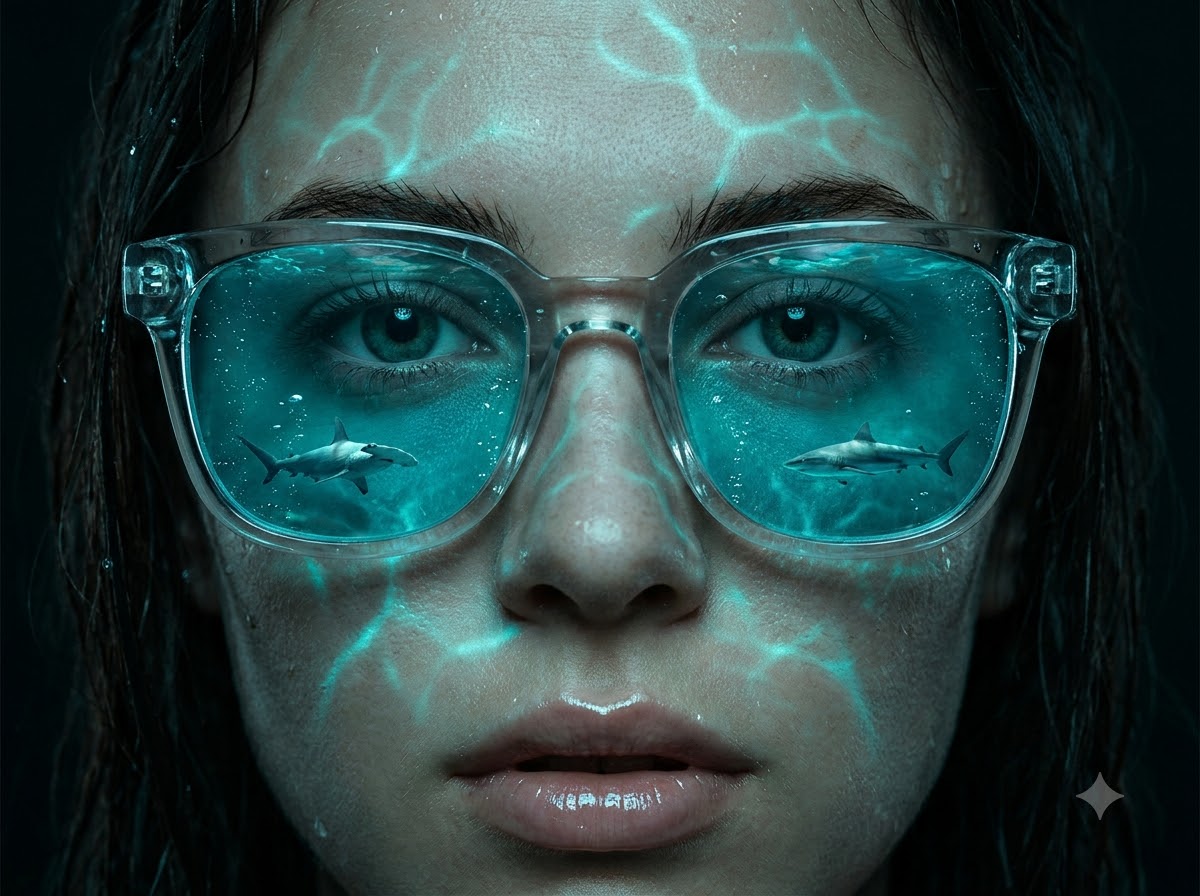
Frame the face straight-on, filling almost the entire vertical canvas from forehead to chin. Show damp dark hair along the edges, natural skin pores, glossy nude lips slightly parted, and sharply detailed blue-green eyes looking directly at the camera.

The person wears oversized transparent glasses with thick, crystal-clear frames. Transform the interior of each lens into a miniature underwater world filled with deep turquoise seawater, tiny suspended bubbles, and two small realistic sharks swimming at different depths. Make the water appear physically contained inside the lenses—not simply printed on them. Keep the person’s eyes visible behind the aquatic scenes, with convincing optical refraction and subtle distortion.

Cast intricate rippling water-caustic patterns across the forehead, nose, cheeks, and lips. Include realistic reflections along the glass rims, luminous cyan highlights, and delicate bubbles near the upper edges of the lenses.

Use moody cinematic lighting, cool teal water tones, warm natural skin, rich shadows, and a nearly black background. Maintain crisp detail in the eyes, sharks, glass, and skin, with anatomically accurate facial proportions.

Luxury experimental eyewear campaign, surreal underwater editorial photography, polished but realistic—not an illustration or cartoon. Vertical 9:16 composition. No text, labels, logos, interface elements, or watermarks. TITLE
How to Use This Prompt in Google Gemini & ChatGPT
- Copy the exact prompt formula above.
- Open Google Gemini (Nano Banana Pro) or ChatGPT Vision and upload your reference portrait if required.
- Paste the prompt and adjust subject clothing or lighting details as desired.