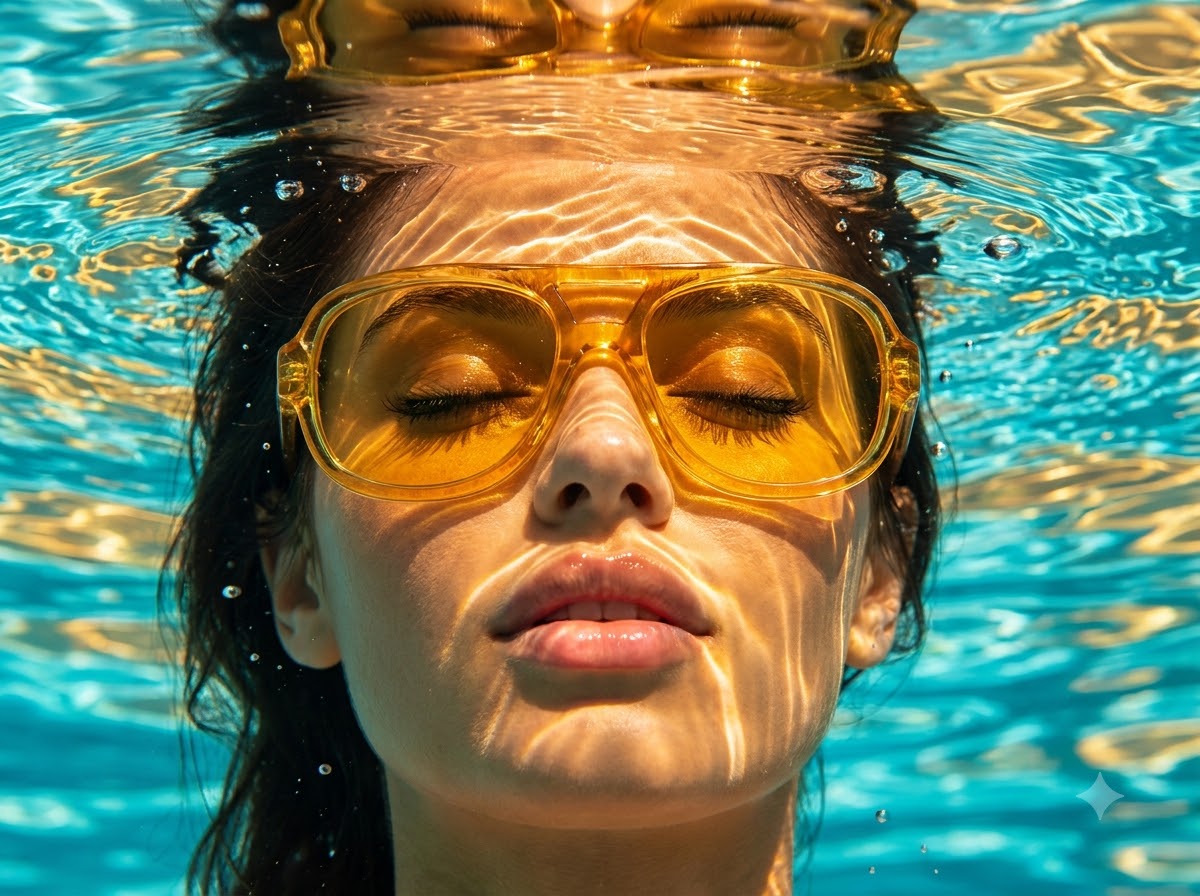
GOLDEN UNDERWATER BEAUTY PORTRAIT WITH TRANSPARENT YELLOW GOGGLES
Category: Portraits | Optimized For: Google Gemini | Aspect Ratio: 4:5
Copy-Paste AI Photo Editing Prompt
Create an ultra-detailed, photorealistic underwater beauty portrait of an adult woman wearing oversized transparent golden-yellow swimming goggles. Extreme close-up, front-facing composition, with her eyes gently closed, long dark eyelashes, naturally full glossy lips slightly parted, realistic skin texture, and wet strands of dark hair floating around her face.

**Lighting and atmosphere:** Brilliant golden sunlight refracting through the water creates liquid gold reflections, shimmering caustic patterns, and warm amber highlights across her forehead, goggles, cheeks, nose, and lips. Tiny air bubbles float around her face and neck. The upper part of the frame reveals the rippling water surface, with distorted reflections of turquoise-blue water and golden sunlight.

**Color palette:** Vibrant turquoise and cyan blue water contrasted with luminous gold, amber, honey yellow, and warm natural skin tones. Rich color saturation, cinematic contrast, glowing highlights, and deep aquatic shadows.

**Composition:** Tight vertical portrait, face centered and filling most of the frame, goggles prominently visible, camera positioned slightly below the water surface, realistic underwater optical distortion, shallow depth of field, sharp focus on facial details, immersive aquatic atmosphere.

**Style:** Luxury beauty editorial photography blended with hyperrealistic surreal art, premium skincare campaign aesthetic, physically accurate water refraction, intricate reflections, realistic bubbles, natural facial anatomy, ultra-fine details, cinematic color grading, 8K quality.

**Aspect ratio:** 9:16 vertical portrait. No text, no logos, no watermark, no extra eyes, no distorted facial features, no plastic-looking skin.
How to Use This Prompt in Google Gemini & ChatGPT
- Copy the exact prompt formula above.
- Open Google Gemini (Nano Banana Pro) or ChatGPT Vision and upload your reference portrait if required.
- Paste the prompt and adjust subject clothing or lighting details as desired.