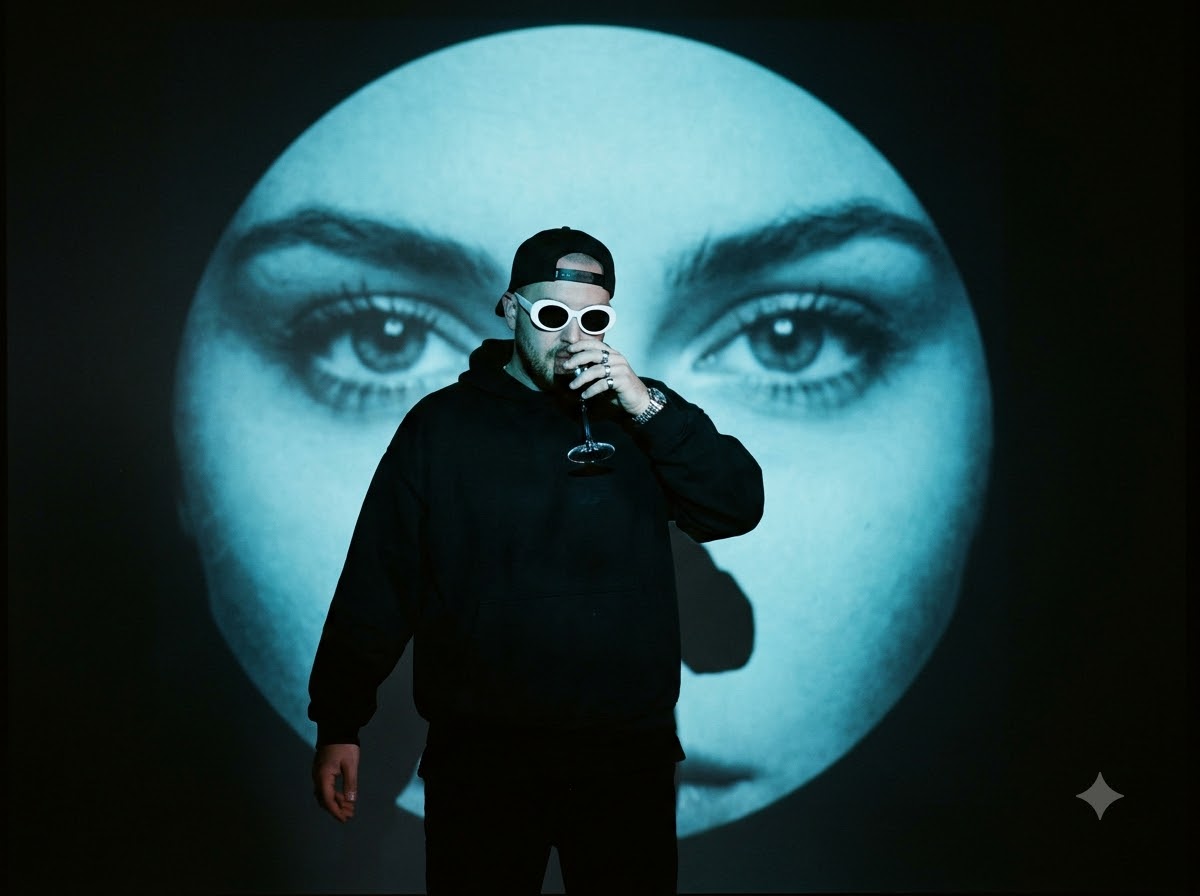
CYAN BLUE PROJECTION STREETWEAR PORTRAIT
Category: Portraits | Optimized For: Nano Banana Pro | Aspect Ratio: 4:5
Copy-Paste AI Photo Editing Prompt
VCreate a moody, photorealistic streetwear editorial in a pitch-black studio, inspired by the reference image. If a personal portrait is supplied, preserve that person’s facial identity and recognizable features.

Place an adult man slightly left of center, framed from his head to his upper thighs. He wears an oversized black hoodie, black trousers, a backward black baseball cap, thick white oval sunglasses, a metallic wristwatch, and subtle rings. He casually raises a clear stemmed glass containing a dark drink to his lips with one hand while his other arm hangs loosely at his side. His posture is relaxed and confident.

Behind him, project a huge circular, cyan-blue close-up of a woman’s face onto the black wall. The projection focuses on her sharply visible eyes, eyebrows, and nose bridge, with the rest of her face softly fading into blue shadow. Her eyes look directly toward the camera. The circular projection fills most of the background, with softly feathered edges surrounded by deep black negative space.

Make this look like a real studio projection, not a floating graphic or double exposure. The man partially blocks the projected image, casting a soft shadow behind him. Let faint blue projected light spill across his face, white sunglasses, hand, glass, and clothing, while keeping his black outfit mostly in deep shadow.

Use a near-monochromatic palette of icy cyan, midnight blue, and black. Low-key lighting, subtle analog film grain, slightly soft atmospheric focus, realistic skin and glass reflections, underground music-cover aesthetic, minimal composition. Vertical 4:5 format. No text, logos, captions, or watermarks.
How to Use This Prompt in Google Gemini & ChatGPT
- Copy the exact prompt formula above.
- Open Google Gemini (Nano Banana Pro) or ChatGPT Vision and upload your reference portrait if required.
- Paste the prompt and adjust subject clothing or lighting details as desired.