CINEMATIC BLUE-HOUR PORTRAIT WITH BURNING NEWSPAPER
Category: Portraits | Optimized For: Nano Banana Pro | Aspect Ratio: 4:5
Copy-Paste AI Photo Editing Prompt
Create a dramatic, photorealistic cinematic portrait inspired by the reference image. If a personal portrait is supplied, preserve that adult person’s facial identity, skin tone, and recognizable features.

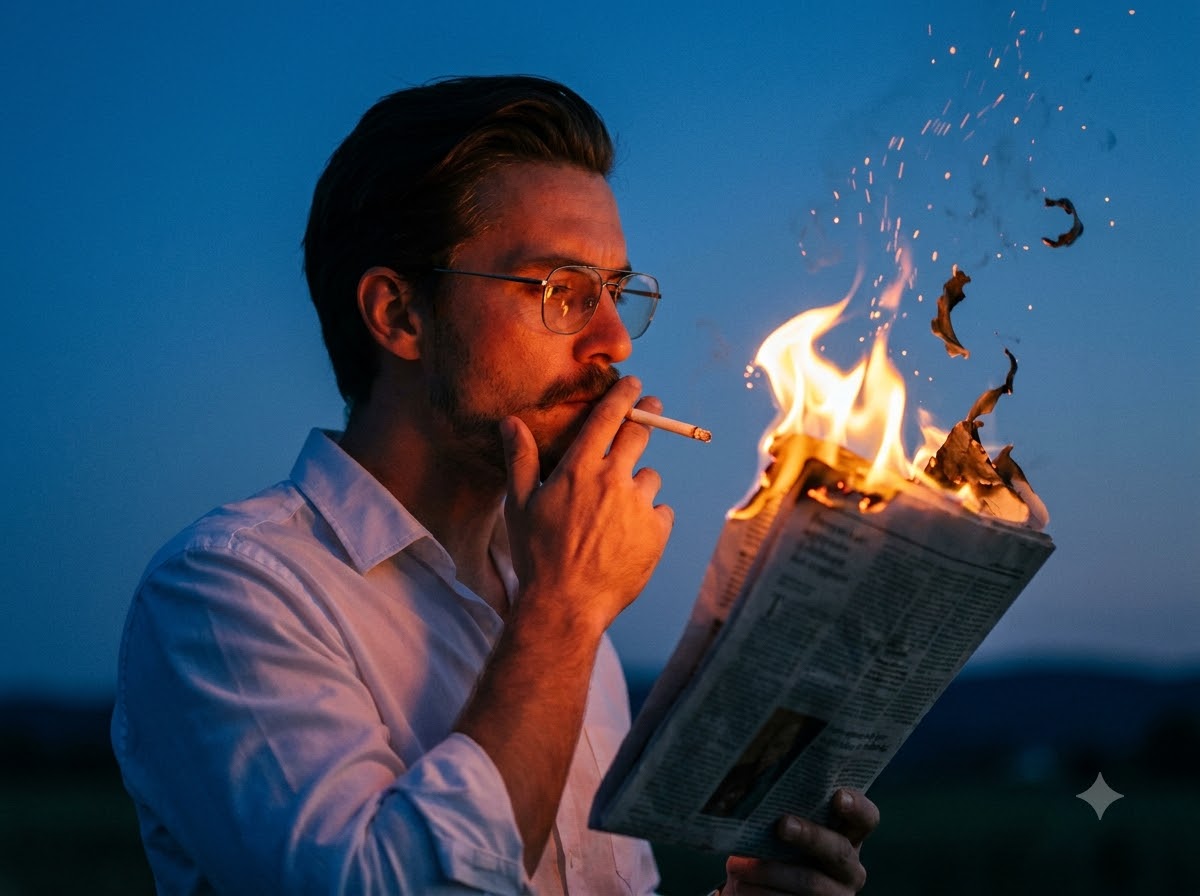
Show an adult man outdoors at blue hour, framed from mid-torso upward in a vertical 9:16 composition. Position him on the left in three-quarter side profile, facing right. He has swept-back dark hair, a neatly trimmed mustache and short beard, thin metal-framed glasses, and a white button-down shirt with an open collar and rolled sleeves.

A cigarette rests between his lips. His raised hand holds a folded newspaper in the right foreground, its upper edge burning with bright yellow-orange flames. Place the cigarette tip close to the burning paper. Capture a dramatic shower of tiny glowing embers rising diagonally into the upper-right sky, with wisps of smoke and curled, blackened paper edges.

Use the fire as the primary warm light source, illuminating his cheek, nose, glasses, fingers, and white shirt with vivid amber-red highlights. Balance this against cool cobalt-blue ambient light and a clean twilight sky. Keep the distant landscape low, dark, and softly out of focus.

Shoot from slightly below eye level. Focus sharply on his face and glasses, with a gently softened foreground hand and newspaper. Include realistic skin texture, natural hand anatomy, fabric creases, subtle lens reflections, detailed flames, and varied ember trails.

Moody cinematic film still, strong orange-and-blue contrast, deep shadows, subtle analog grain, realistic photography rather than illustration. No added text, logos, captions, or watermarks.
How to Use This Prompt in Google Gemini & ChatGPT
- Copy the exact prompt formula above.
- Open Google Gemini (Nano Banana Pro) or ChatGPT Vision and upload your reference portrait if required.
- Paste the prompt and adjust subject clothing or lighting details as desired.