BURNING NEWSPAPER PORTRAIT WITH CINEMATIC FIRELIGHT
Category: Portraits | Optimized For: Nano Banana Pro | Aspect Ratio: 4:5
Copy-Paste AI Photo Editing Prompt
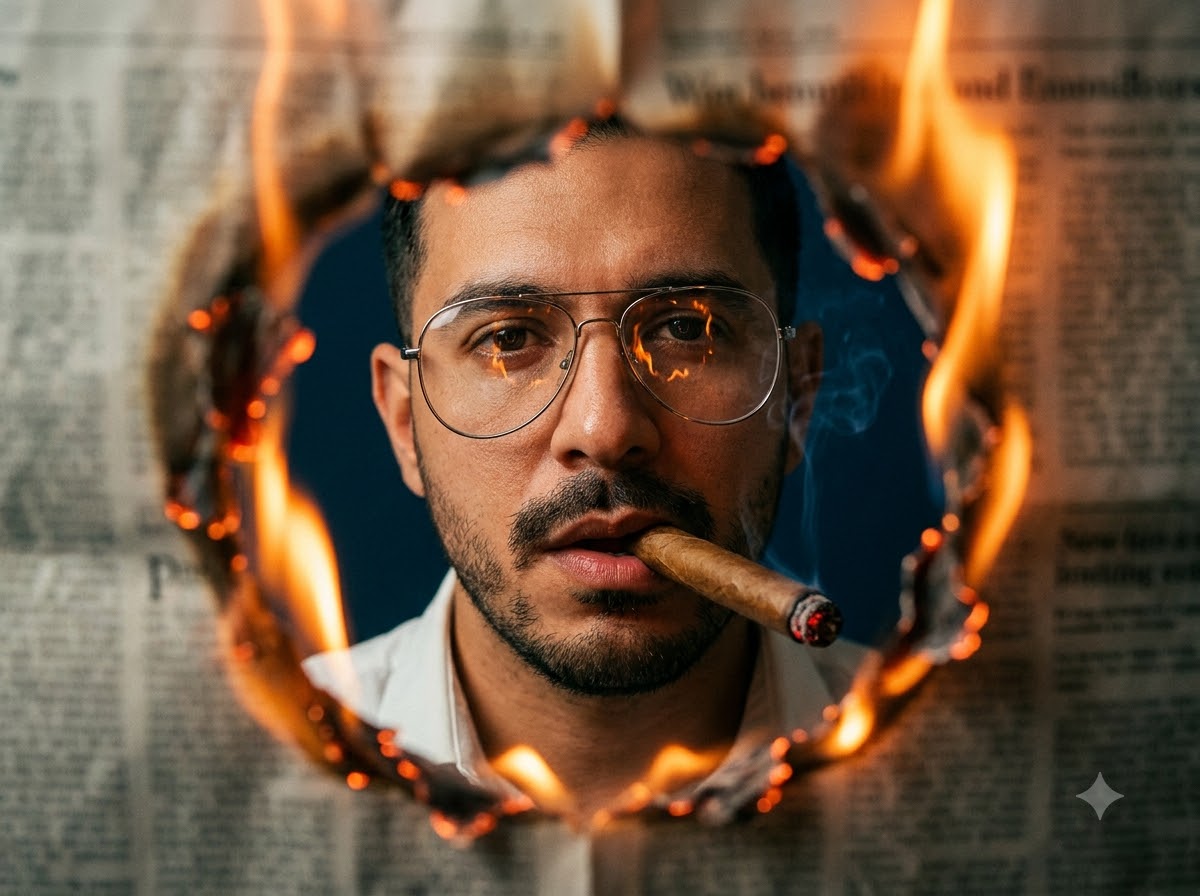
Create a cinematic, photorealistic close-up portrait seen through an irregular burned hole in a newspaper. If a personal portrait is supplied, preserve that person’s facial identity, skin tone, and recognizable features.

The newspaper fills the foreground from edge to edge. Its central opening has curled, charred edges, glowing orange embers, and several vivid flames rising around the perimeter. Keep the newspaper columns softly blurred, with no prominent readable headlines.

Through the opening, reveal an adult man looking directly at the camera with a calm, intense expression. He has short dark hair, a neatly trimmed mustache and beard, oversized clear aviator-style glasses with thin metal frames, and a white collared shirt. A thick cigar rests between his lips, angled toward the right side of the image, with a glowing ember at its tip and a delicate trail of smoke.

Keep his face behind the newspaper, safely separated from the flames. Frame his entire face within the opening, with the fire surrounding rather than obscuring his eyes. Capture realistic orange flame reflections in his glasses and warm firelight illuminating his cheeks, nose, and lips.

Use a deep midnight-blue background, strong warm-versus-cool contrast, rich shadows, subtle film grain, and shallow depth of field. Focus sharply on his eyes and facial details; let the nearest paper edges and flames fall into soft cinematic blur. Render convincing burnt-paper texture, glowing ash, translucent smoke, and natural skin pores.

Dark, dramatic editorial photography with a suspenseful film-poster atmosphere. Vertical 9:16 composition. No added titles, logos, captions, or watermarks.
How to Use This Prompt in Google Gemini & ChatGPT
- Copy the exact prompt formula above.
- Open Google Gemini (Nano Banana Pro) or ChatGPT Vision and upload your reference portrait if required.
- Paste the prompt and adjust subject clothing or lighting details as desired.