90s GLITCH EDITORIAL PORTRAIT
Category: Portraits | Optimized For: Gemini | Aspect Ratio: 4:5
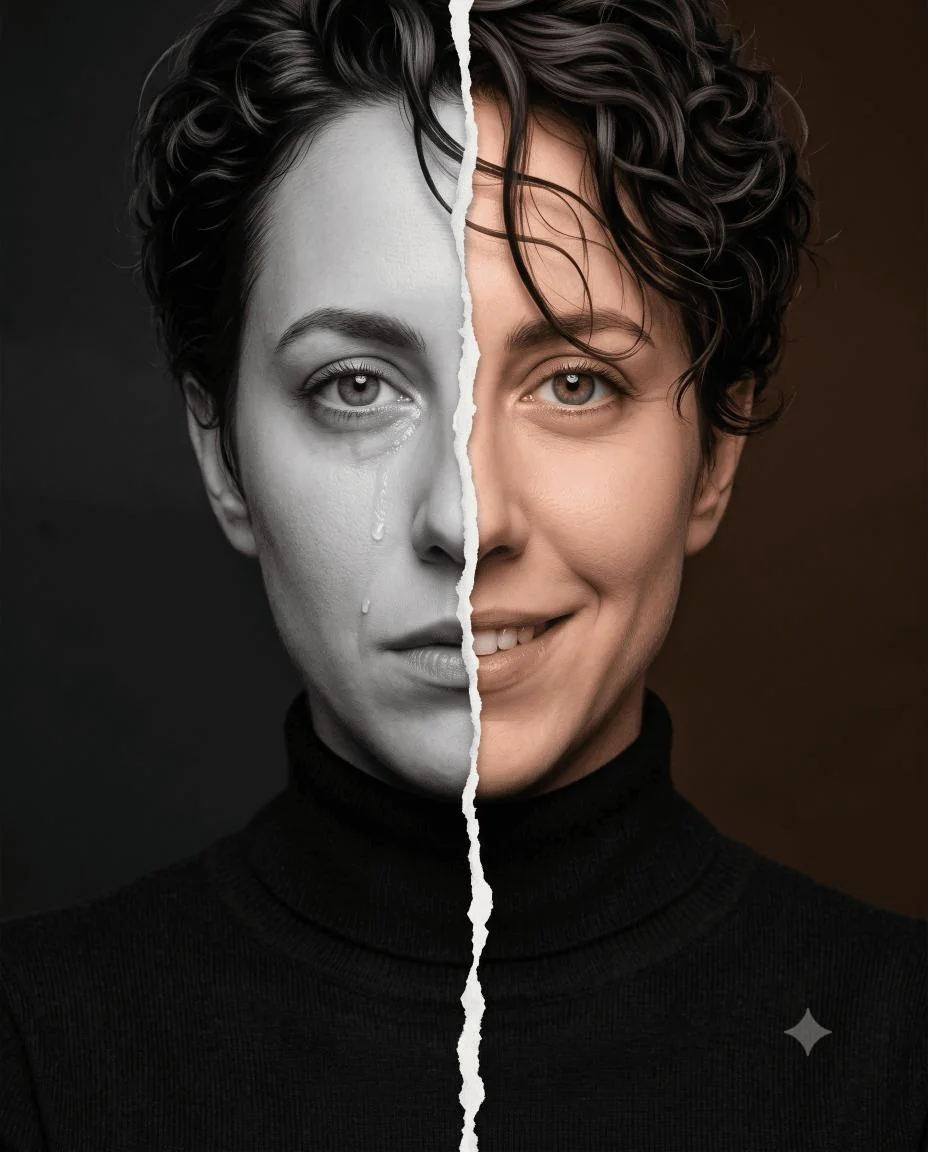
Copy-Paste AI Photo Editing Prompt
Use the uploaded image as the PRIMARY VISUAL REFERENCE. Recreate the underlying photograph and editing style as closely as possible. Match the subject's pose, face direction, framing, glasses, hairstyle, lighting, color separation, glitch distortion, texture, scratches, grain, overlays, and overall composition. Do NOT redesign the image. Remove every piece of text, typography, handwriting, logo, watermark, and magazine lettering. Generate ONLY the clean photographic artwork.

CORE VISUAL
Create an ultra-photorealistic 1990s experimental fashion/editorial portrait of a young adult man wearing large vintage aviator-style glasses, photographed in an extreme close-up/medium close-up.
The image should feel like a distressed 1990s underground fashion magazine photograph combined with analog VHS/glitch photography and cyan-red photographic color separation.
The result must look like a real scanned photographic print, not a digital illustration.
EXACT COMPOSITION
Use a vertical 2:3 portrait composition.
The man's head and upper shoulders occupy almost the entire frame.
His face is positioned approximately in the center, slightly toward the left.
His body is facing mostly forward, while his head is turned slightly toward the left side of the frame.
His chin is slightly raised.
His gaze is directed toward the left/upward, not directly toward the viewer.
The crop should cut around the:

top of hair
sides of head
upper shoulders/chest
Do NOT show the full body.
Do NOT use a wide shot.
FACE AND EXPRESSION
Create a handsome young adult man with a calm, serious, introspective expression.
His face should have:

Defined cheekbones
Natural nose
Slightly parted lips
Strong jawline
Subtle facial stubble
Natural skin pores
Realistic facial anatomy
His lips are slightly parted.
His expression is neutral and contemplative.
Do not smile.
Do not exaggerate facial expression.
HAIR
Create dark, thick, slightly messy medium-length hair.
The hair should have:

Loose strands
Messy texture
Slightly wet appearance
Irregular strands crossing the forehead
Natural volume
Individual hairs visible
Some hair strands should partially overlap the glasses and forehead.
Do NOT create perfectly styled modern hair.
GLASSES — CRITICAL
The man wears large vintage aviator-style sunglasses/eyeglasses.
The glasses have:

Large rounded lenses
Thin metallic frame
Slightly oversized proportions
Transparent/tinted lenses
Realistic reflections
The glasses sit naturally across the bridge of his nose.
The lenses must remain clearly recognizable.
Add subtle reflections inside the lenses, including:

red light
cyan light
horizontal environmental streaks
Do NOT turn them into futuristic cyberpunk glasses.
HEAD POSITION
The head is shown in a three-quarter view.
The face points approximately toward the left side.
The right side of the head remains visible.
The nose points left.
The chin points slightly left/down.
Maintain the same facial angle as the reference.
COLOR TREATMENT — MOST IMPORTANT
The portrait uses an intense cyan + red/orange color separation.

RIGHT / SHADOW SIDE
Use dominant:
deep cyan + turquoise + teal
across:

cheek
temple
ear
jaw
hair
background
LEFT / HIGHLIGHT SIDE
Use:
red + orange + warm coral + magenta
around:

forehead
nose
lips
cheek
neck
shoulder
The two colors should overlap organically.
Do NOT use normal natural skin color as the dominant treatment.
The portrait should feel heavily color-graded.
CYAN LIGHT
A strong turquoise/cyan light illuminates the man's right side.
The cyan light should cover approximately:
50–60% of the face.
Use varying cyan intensity rather than one flat color.
Create realistic skin texture beneath the cyan grading.
RED LIGHT
A warm red/orange light enters from the opposite side.
It creates strong red highlights around:

nose
lips
left cheek
neck
lower face
shoulder
Some red light should spill into the background.
GLITCH EFFECT
This is essential.
Add analog 1990s glitch distortion, but keep the man's facial structure recognizable.
Use:

Horizontal RGB displacement
Slight image tearing
Offset color channels
Horizontal scanline streaks
Broken exposure bands
Small horizontal distortions
Fragmented light streaks
Slight duplicated edges
Analog signal interference
Subtle chromatic aberration
The distortion should appear primarily around the edges of the face and background.
Do not completely destroy the face.
HORIZONTAL GLITCH BANDS
Add several irregular horizontal bands crossing the image.
Some bands should:

shift the image slightly sideways
smear red/cyan pixels
stretch highlights
create analog motion trails
The bands must look like physical analog image degradation, not clean digital Photoshop rectangles.
MOTION SMEAR
Around the left side of the face and background, introduce subtle horizontal motion streaks.
Use:
red + cyan + white + dark teal
streaks.
Some streaks can pass behind the glasses and cheek.
Keep the main facial features readable.
DISTRESSED FILM / PRINT TEXTURE
The entire image should look like an old scanned magazine photograph.
Add:

Fine film grain
Coarse analog grain
Dust particles
Tiny scratches
Faded emulsion
Film imperfections
Small white specks
Darkened edges
Slight color bleeding
Paper-print texture
Uneven exposure
Subtle stains
The surface should feel physically aged.
SCRATCHES AND IMPERFECTIONS
Add random but tasteful:

Vertical scratches
Horizontal scratches
Tiny dust spots
Faded white marks
Film damage
Slight paint-like abrasions
These should be integrated into the photograph.
Do NOT make the scratches too large.
BACKGROUND
The background is dark and abstract.
Dominant colors:
deep teal + dark cyan + black + muted red.
It should contain:

blurred urban-like light
abstract shadows
cyan atmospheric haze
red light leaks
horizontal streaks
Do not create a recognizable city.
Do not create buildings.
Do not create scenery.
The background should remain photographic and abstract.
LIGHT LEAKS
Add subtle analog light leaks.
Use:

turquoise glow
red/orange glow
pink highlights
faded white exposure
Place some light leaks around:

upper corners
left edge
lower-left
behind the head
They should look like 35mm film light leaks.
DOUBLE EXPOSURE — VERY SUBTLE
There can be extremely subtle ghosted photographic displacement around the face.
For example:

a faint offset of the cheek
duplicated hair strands
subtle red/cyan facial edge separation
But the face must remain a single recognizable person.
Do not create two faces.
SKIN
Despite the extreme grading, preserve:

realistic pores
facial stubble
natural skin texture
realistic lips
realistic eyelashes
subtle facial imperfections
The cyan/red effect should sit over realistic photographic skin, not replace the skin with painted colors.
CLOTHING
The man wears a simple dark jacket or dark minimalist shirt.
Keep clothing mostly:
deep black / charcoal / dark teal.
Some red and cyan light reflects onto the fabric.
Do not add logos.
Do not add patterns.
CAMERA
Professional analog fashion photography.
Simulate:
35mm film camera + 50mm/85mm lens
with:

shallow depth of field
realistic optical imperfections
slight lens softness
high facial detail
analog film response
The final image should look like a 1990s editorial photograph scanned from a physical magazine.
IMPORTANT STYLE BALANCE
The final image should combine:
REAL PHOTOGRAPHY
+
1990s MAGAZINE
+
CYAN/RED COLOR SEPARATION
+
ANALOG GLITCH
+
DISTRESSED FILM
+
URBAN NIGHT ATMOSPHERE
It should NOT look like:

cyberpunk
futuristic AI art
neon gaming artwork
digital poster
3D render
REMOVE ALL TEXT
Absolutely no text anywhere.
Remove/recreate without:

Magazine title
"MidJourney"
"prompt"
handwritten notes
captions
numbers
logos
signatures
watermarks
typography
letters
symbols
The final output must be only the photograph.
STRICT NEGATIVE PROMPT
No text, no typography, no magazine title, no handwriting, no logo, no watermark, no signature, no captions, no duplicate person, no double face, no extra eyes, no distorted face, no futuristic glasses, no cyberpunk, no cartoon, no illustration, no anime, no 3D, no CGI, no clean digital photography, no smooth plastic skin, no excessive neon, no symmetrical frontal portrait, no smiling, no full body, no wide shot, no bright colorful clothing, no modern studio background, no city scenery, no excessive glitch destroying facial features.
FINAL GEMINI PROMPT
Use the uploaded reference image as the PRIMARY VISUAL REFERENCE and reproduce its underlying photographic composition and editing style as closely as possible. Create an ultra-photorealistic vertical 2:3 1990s underground fashion-editorial portrait of a young adult man wearing large vintage aviator-style glasses, shown in a tight chest-up crop. His head occupies most of the frame and is positioned slightly left of center. His head is turned approximately 20–30 degrees toward the left, his nose points left, his chin is slightly raised, and his eyes look toward the upper-left. He has thick messy dark medium-length hair with loose strands crossing his forehead and glasses, subtle facial stubble, realistic pores, defined cheekbones, natural lips and a calm serious introspective expression. Use strong cinematic cyan and red/orange photographic color separation: the right side of his face, hair, ear and jaw are illuminated predominantly by deep turquoise/cyan light, while the left side of the face, nose, lips, neck and shoulder receive intense red, orange and coral light. Preserve realistic skin texture beneath the extreme color grading. His oversized rounded aviator glasses have thin metallic frames and realistic red/cyan reflections in the lenses. Surround the portrait with a dark abstract teal/cyan background containing blurred urban-like light, red light leaks, turquoise haze and horizontal photographic streaks. Add authentic 1990s analog glitch photography: horizontal RGB displacement, subtle chromatic aberration, horizontal image tearing, offset color channels, fragmented exposure bands, slight facial-edge displacement, horizontal motion smears and analog signal interference. Add heavily distressed scanned-film texture consisting of fine and coarse grain, dust, tiny white particles, scratches, faded emulsion, light abrasions, uneven exposure, color bleeding, subtle darkened edges and old printed-magazine texture. Include subtle red and turquoise 35mm film light leaks around the edges and behind the subject. Keep the man's face highly recognizable and photorealistic while allowing controlled analog distortion around the edges. The final image should look like a real 1990s experimental fashion magazine photograph scanned from aged film, combining vintage editorial photography, cyan/red color separation, analog glitch, distressed print texture and dark urban atmosphere. Do not reproduce any text, lettering, handwritten notes, logo, watermark, title or typography from the reference. Generate ONLY the clean photographic artwork.
How to Use This Prompt in Google Gemini & ChatGPT
- Copy the exact prompt formula above.
- Open Google Gemini (Nano Banana Pro) or ChatGPT Vision and upload your reference portrait if required.
- Paste the prompt and adjust subject clothing or lighting details as desired.